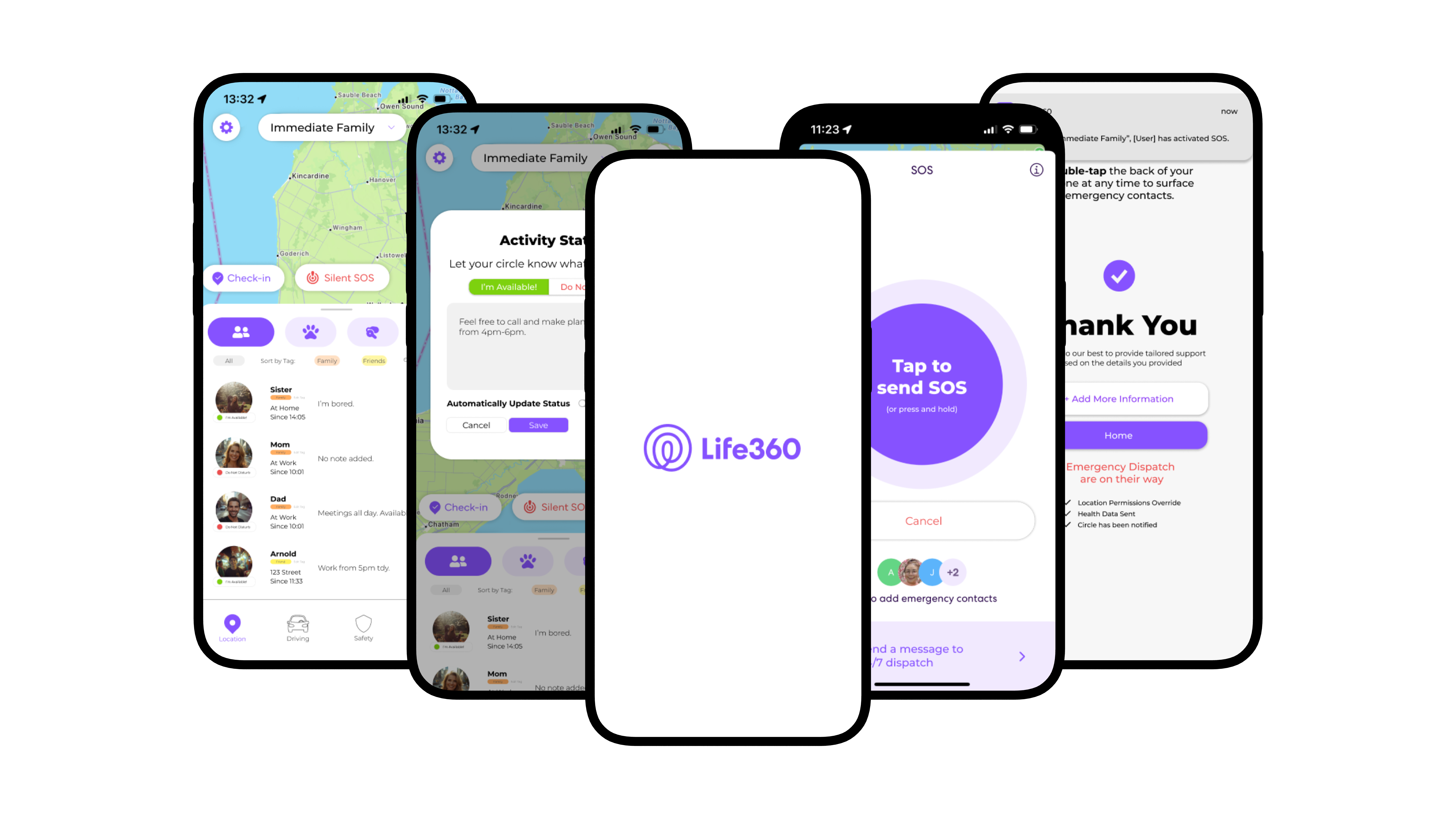
case study

WHO DECIDES WHAT GETS PRIORITISED?

Location tracking is amazing for safety, yet compromises the autonomy and privacy of many teenagers. Life360, an app primarily used by family and friends, I noticed distince value tensions: Safety vs. Privacy, Autonomy vs. Transparency. Who decides which is more important? In this project, I completed a fictional redesign where primary users, teenagers, and secondary indirect users, Emergency first responders, are able to both...
research

TEENAGERS - PRIMARY DIRECT STAKEHOLDER

In a survey conducted among a small sample size of participants, results show that teenagers are more uncomfortable with sharing locations with their family members compared to their friends.

18%

are mildly to very uncomfortable with sharing locations with friends.

11

Respondants

63%

are mildly to very uncomfortable with sharing locations with family.

Before conducting the survey, I predicted that Teenagers valued autonomy and transparency, drawing these values from personal experiences using Life360. In the period that I used Life360 I felt that my privacy was being invaded, as I would receive messages asking why I haven't returned to my apartment or what I was doing outside late at night. It was instances like these that led me to believe Teenagers who were made to download Life360 felt the similarly.

VALUE ELICITATION RESULTS

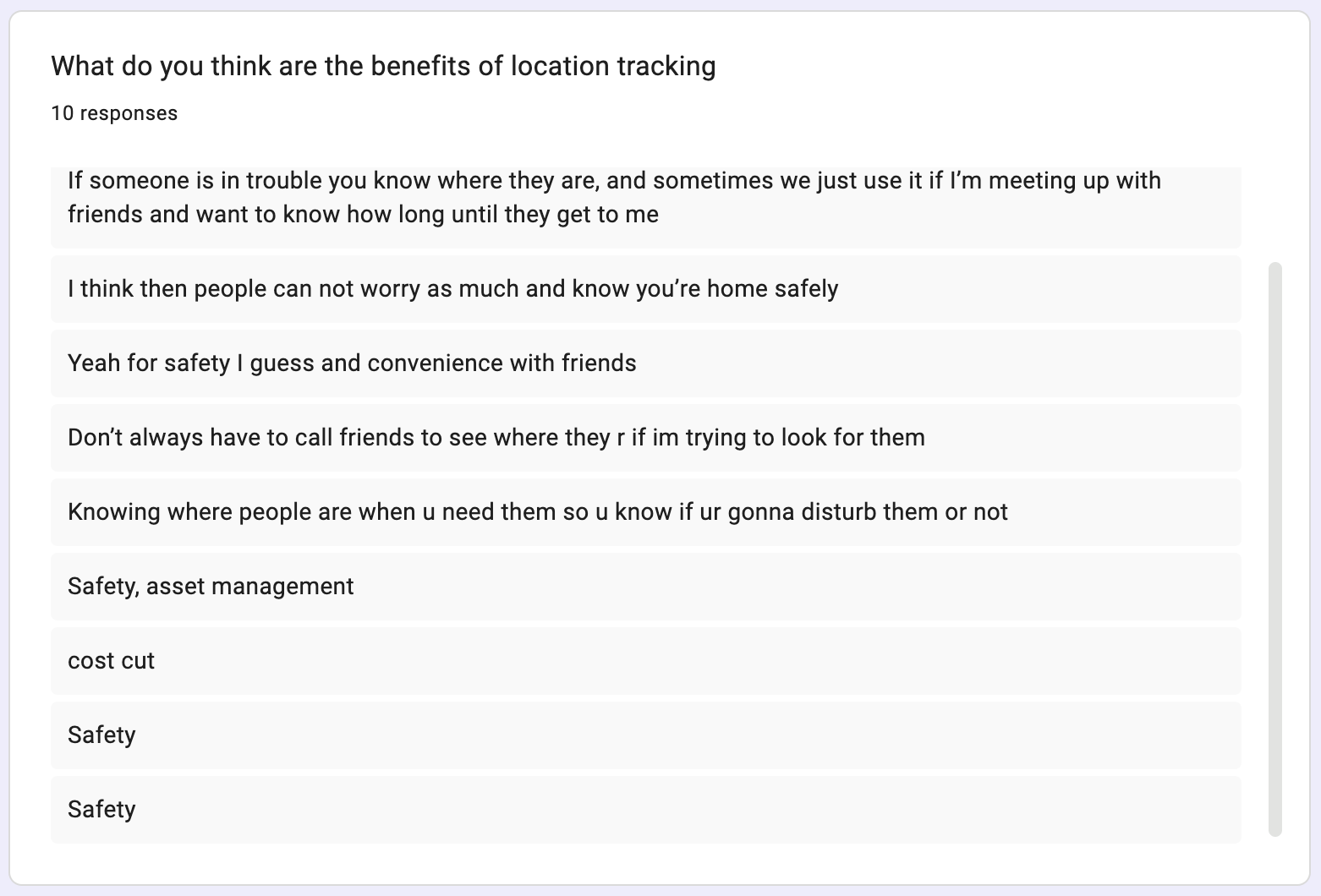
form response, what do you think are the benefits of location sharing

The results from my survey matched my predictions, and I was also
able to identify two other values from the results. Location tracking
provided convenience, especially when trying to make sudden plans
with friends. They also felt that it added a layer of safety, being able to
check up on friends and family.

SAFETY

If there is danger, someone knows where you are. Reduce worry among loved ones.

AUTONOMY

Teenagers value having power to govern themselves without outside interferance.

TRANSPARENCY

If location tracking is a must, how and when they are being tracked by others is important.

CONVENIENCE

When looking to spend time with friends, location tracking aids with creating plans or checking for busyness.

EMERGENCY FIRST RESPONDERS - SECONDARY INDIRECT STAKEHOLDER

Although First Responders are not direct users of the app, Life360 contains an SOS feature where users can have access to 24/7 dispatch in emergency situations. In order to understand how their work is affected by how users interactions with Life360, I attempted to survey first responders over the internet.

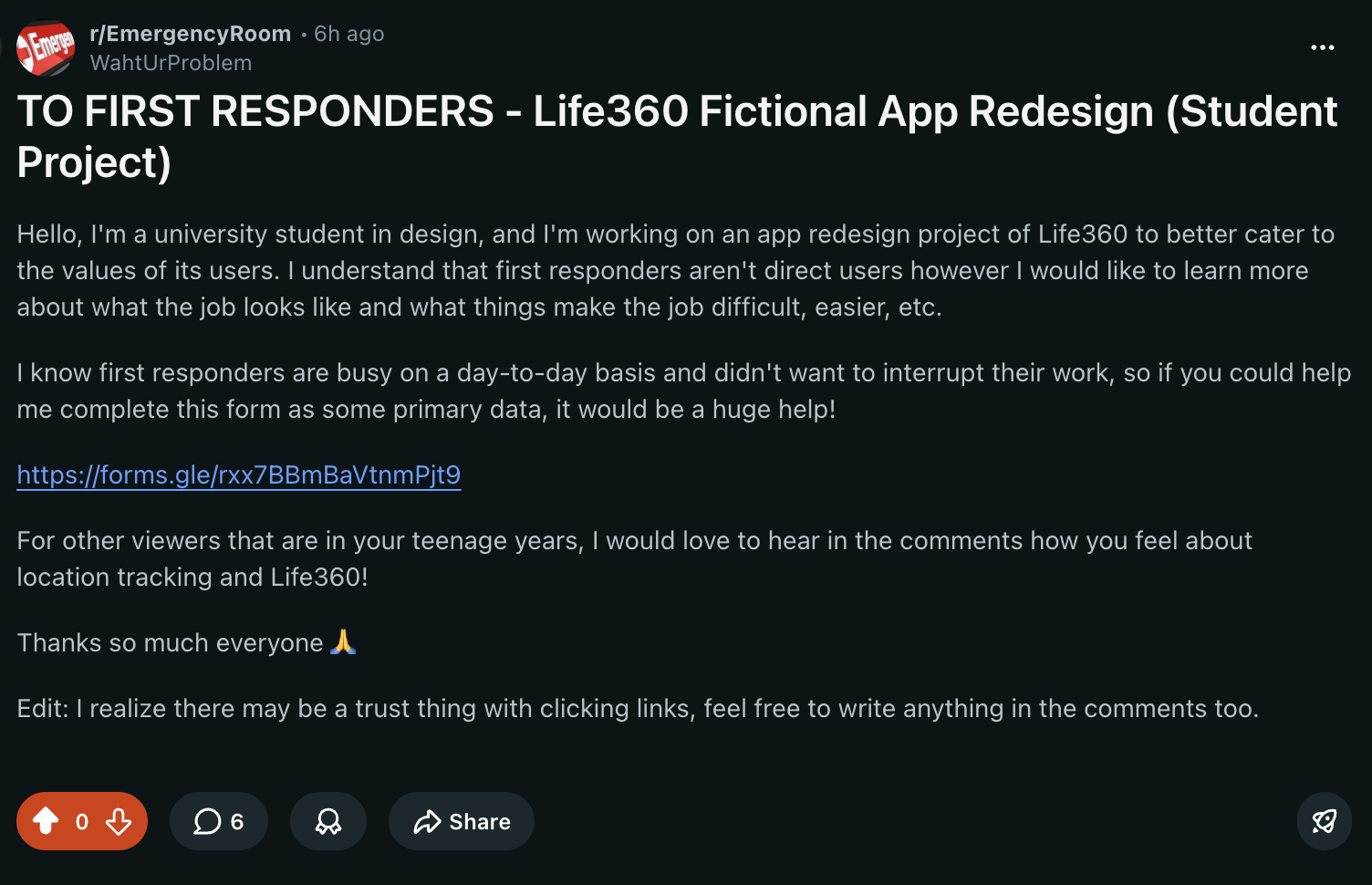
reddit post to first responders

REDDIT POST

I reached out via a Reddit platform, and I was able to successfully receive one quality response, however due to the post receiving overwhelming negativity from users, I took down the post and switched to gathering quotes from news articles.

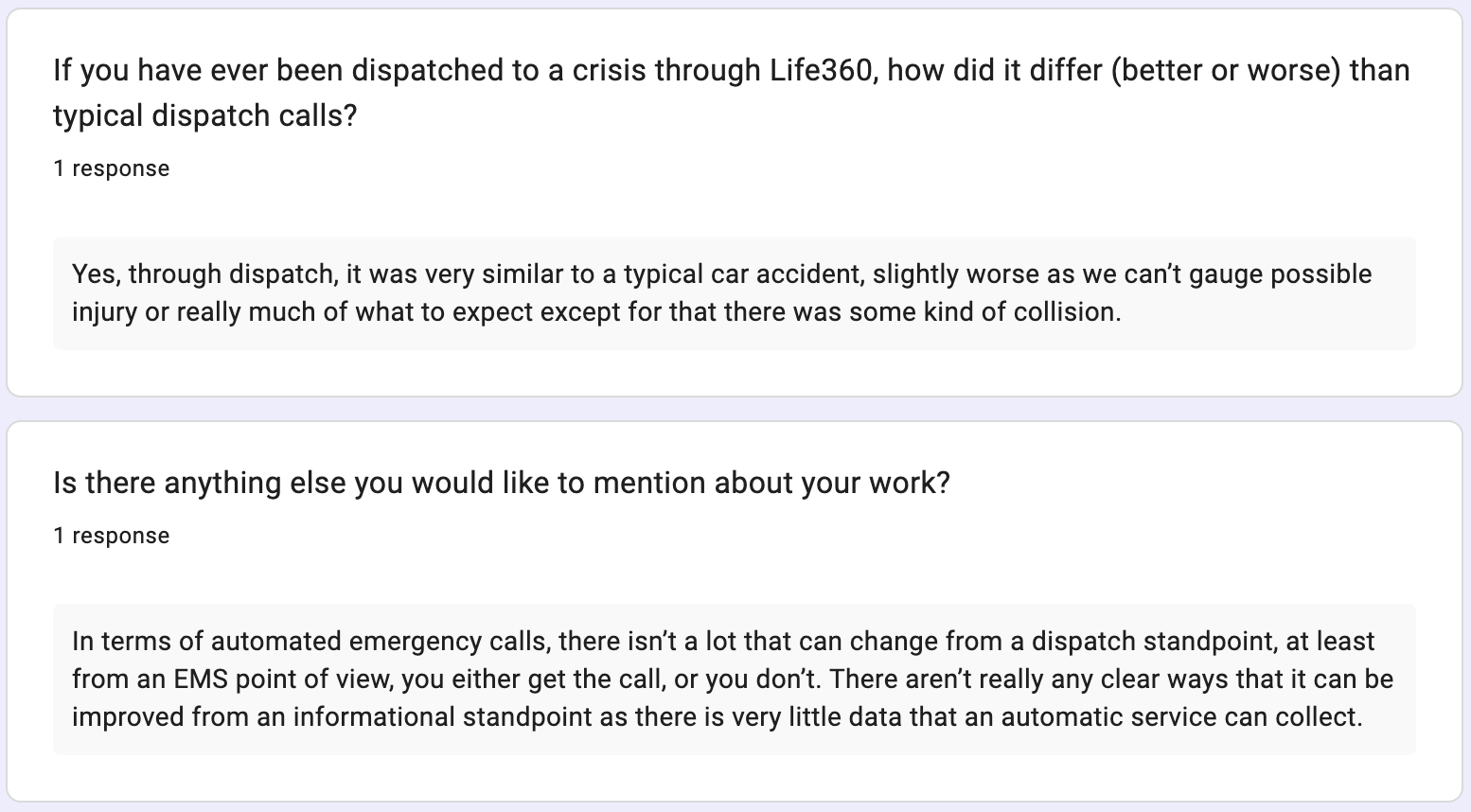
Something that surfaced through the single response received was that Life360 fails to support first responder's jobs. A lack of information creates difficulty in knowing what to expect when arriving at the scene.

VALUE ELICITATION RESULTS

response from first responder survey response from first responder long answer

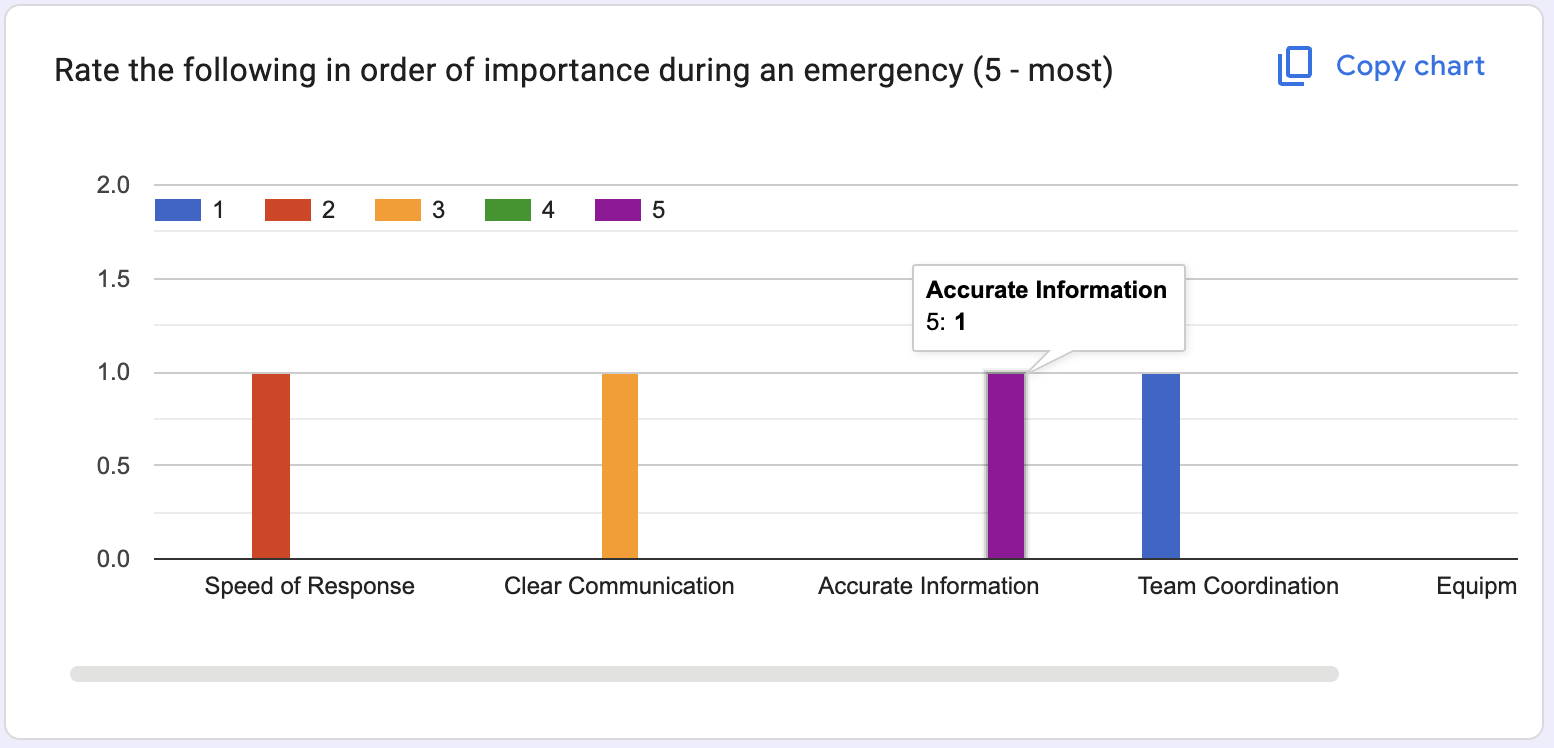
The first responder that responded to the survey noted that accurate information is one of the most important things amidst and emergency.

Through the responders experience of being dispatched through Life360, they added that information not only contributes to readiness and prepared-ness when arriving at a scene, it also improves efficiency and ability to do their job well.

SAFETY

Prioritization of safety and saving others.

PROTECTION

Preventing and minimizing harm within society.

EFFICIENCY

A duty to perform their job in the best and fastest way possible.

INFORMEDNESS

Supports efficiency when attending to emergency situations.

direction

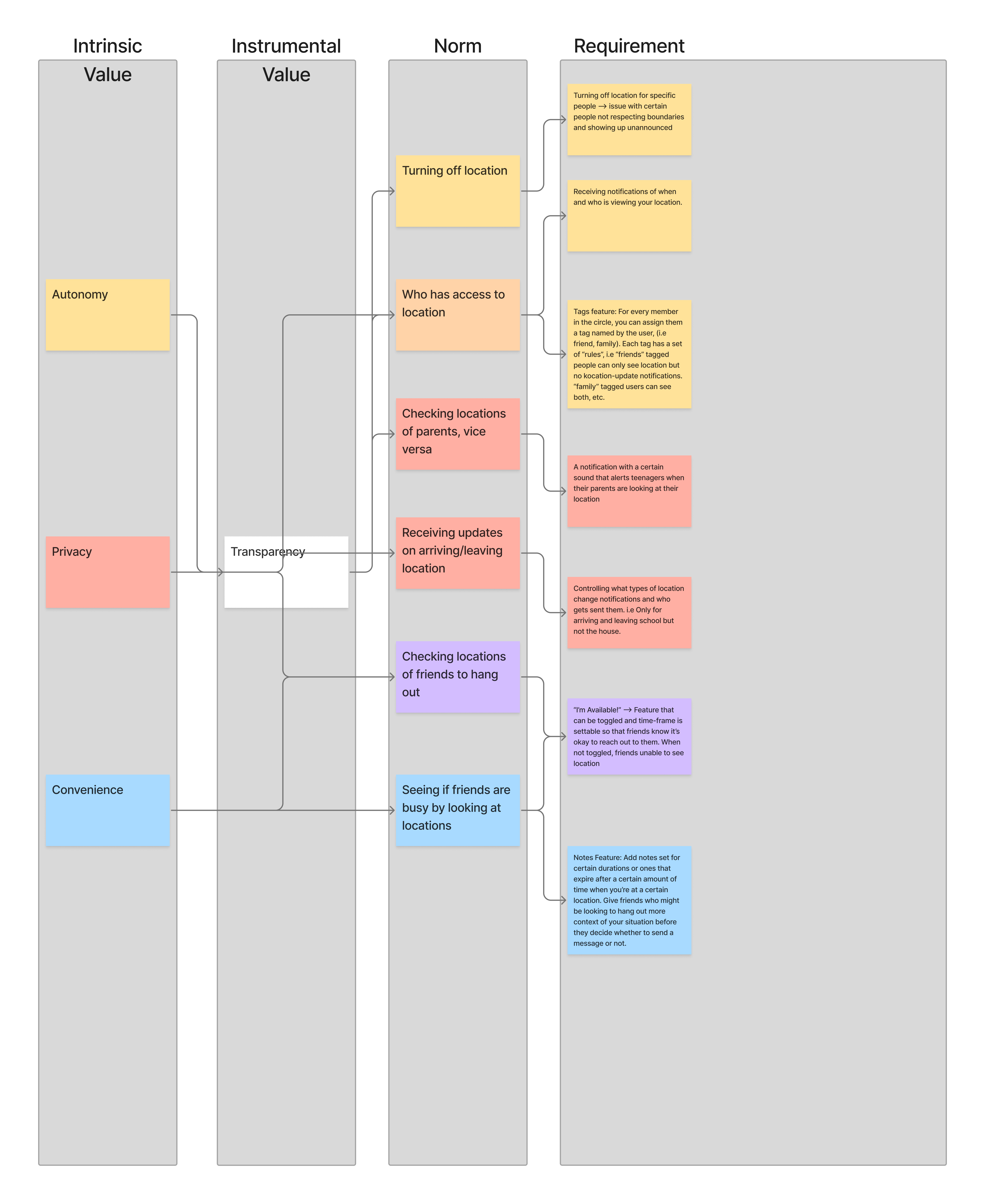
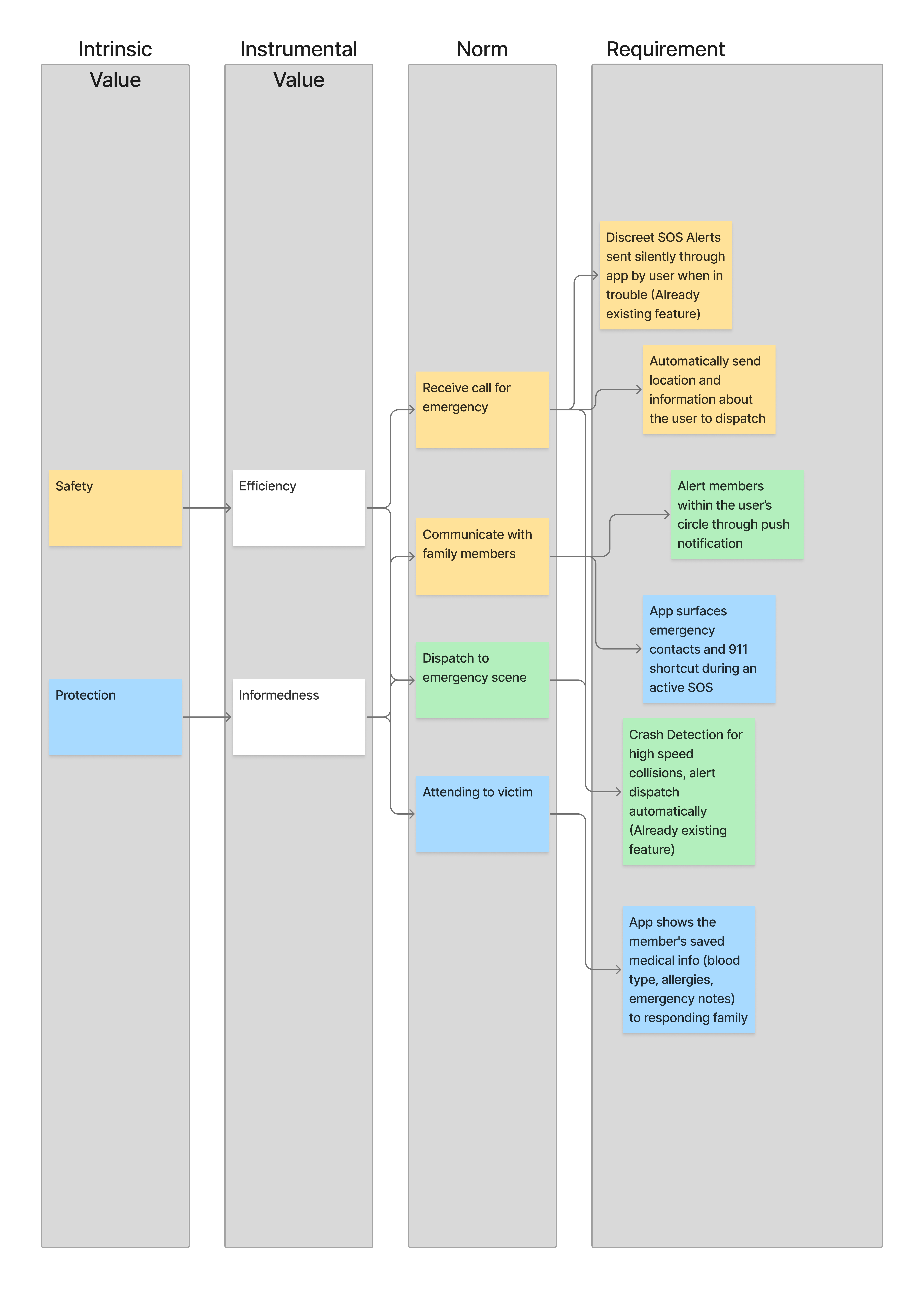
Using the elicited values, I created a value-hierarchy chart to guide design features the redesign must include in order to satisfy the needs of the chosen direct and indirect stakeholder.

VALUE HIERARCHY - TEENAGERS

Value Hierarchy using Teenager Values

Design Requirements

  • Turning off location for specific people -> issue with certain people not respecting boundaries and showing up unannounced
  • Receiving notifications of when and who is viewing your location.
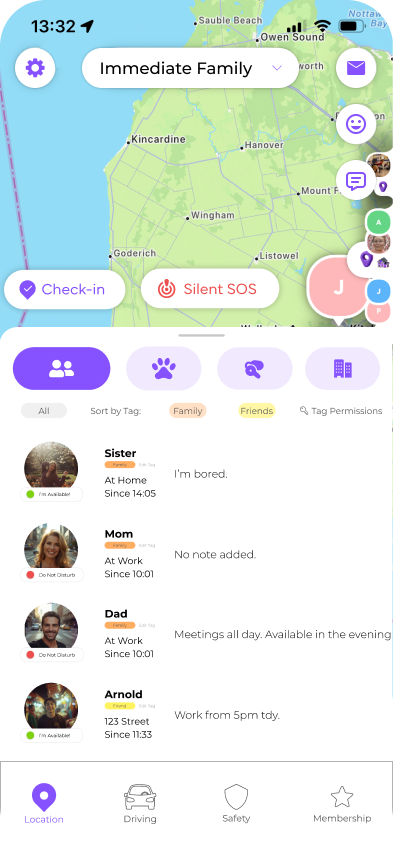
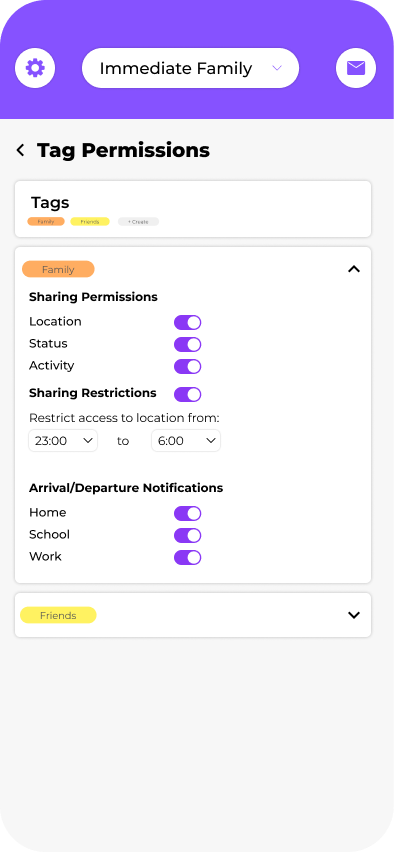
  • Tags feature: For every member in the circle, you can assign them a tag named by the user, (i.e friend, family). Each tag has a set of “rules”, i.e “friends” tagged people can only see location but no location-update notifications. “family” tagged users can see both, etc.
  • A notification with a certain sound that alerts teenagers when their parents are looking at their location.
  • Controlling what types of location change notifications and who gets sent them. i.e Only for arriving and leaving school but not the house.
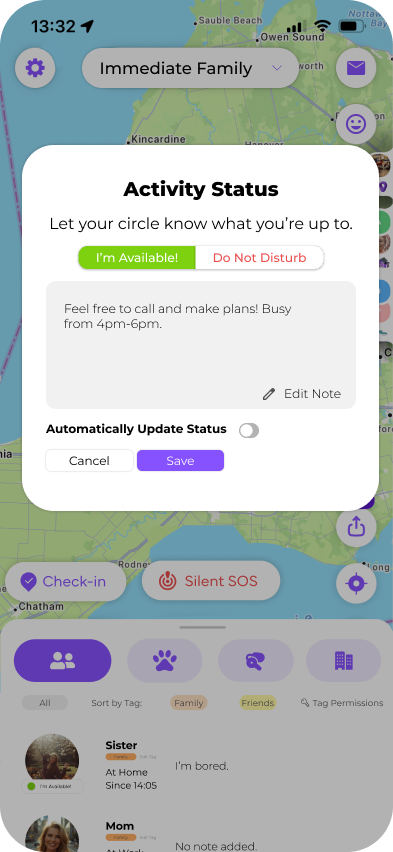
  • “I'm Available!” -> Feature that can be toggled and time-frame is settable so that friends know it's okay to reach out to them. When not toggled, friends unable to see location
  • Notes Feature: Add notes set for certain durations or ones that expire after a certain amount of time when you're at a certain location. Give friends who might be looking to hang out more context of your situation before they decide whether to send a message or not.

VALUE HIERARCHY - FIRST RESPONDERS

Value Hierarchy using First Responder Values

Design Requirements

  • Discreet SOS Alerts sent silently through app by user when in trouble (Already existing feature)
  • Automatically send location and information about the user to dispatch
  • Alert members within the user's circle through push notification
  • App surfaces emergency contacts and 911 shortcut during an active SOS
  • Crash Detection for high speed collisions, alert dispatch automatically (Already existing feature)
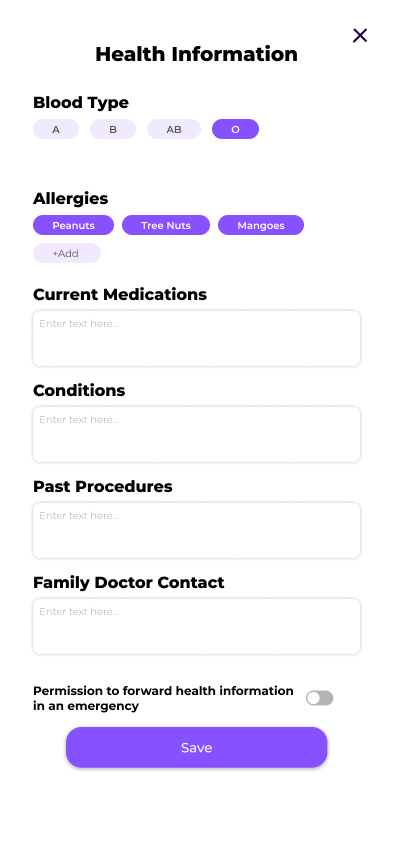
  • App shows the member's saved medical info (blood type, allergies, emergency notes) to responding family

design

FIRST ITERATION (LINK)

TAG PERMISSIONS FEATURE

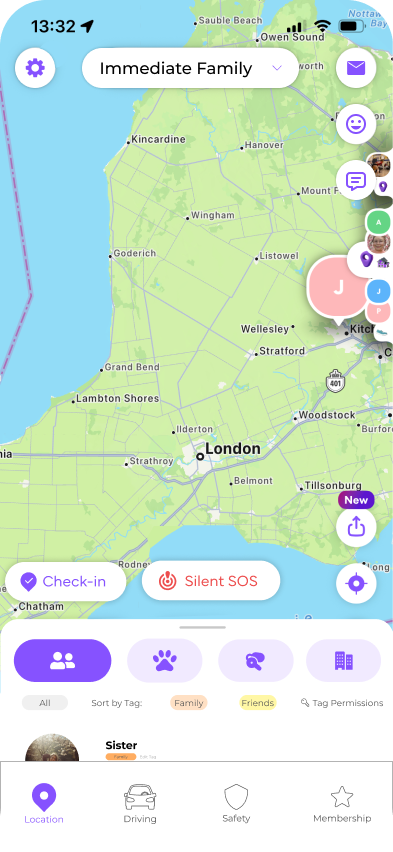
A feature where the user can attach 'tags' to each member of the circle and customize sharing permissions. This caters to the value of privacy while still maintaining the location tracking element of Life360.

'I'M AVAILABLE!' FEATURE

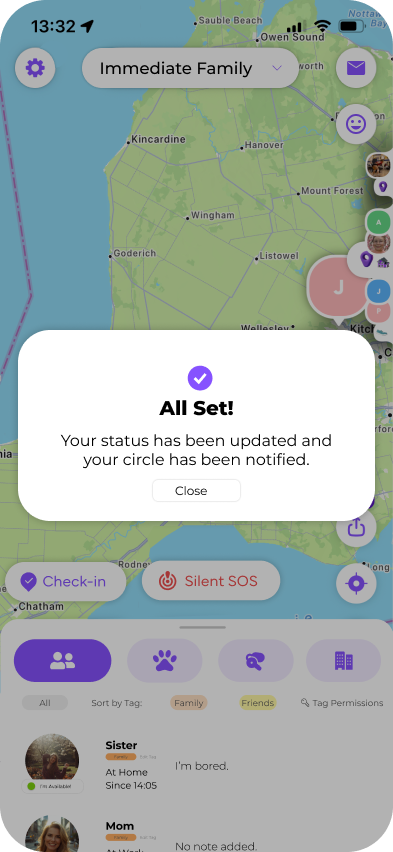
One of the primary ways teenagers use location tracking is to see whether friends are available before sending a message or call. They say "it's convenient to check their location first before going through the trouble of contacting them first". With the I'm Available feature, users are able to add notes and share a status: Available or Do Not Disturb. While on either status, users are able to choose a time period to switch their status automatically. This way, users can maintain their privacy but still have the convenience of reaching their friends when needed.

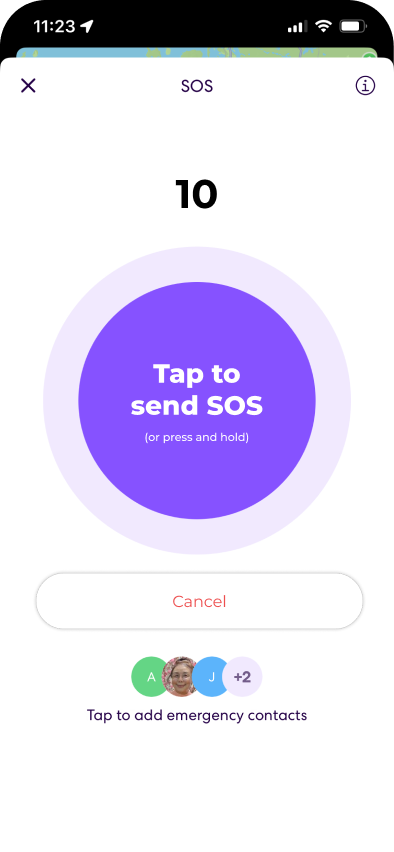
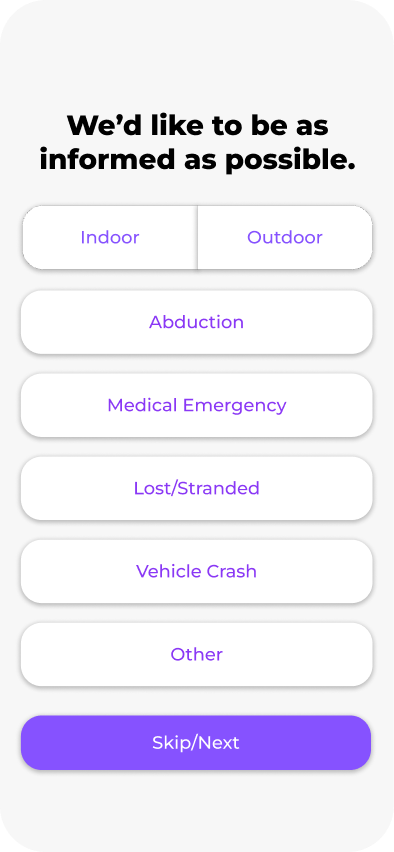
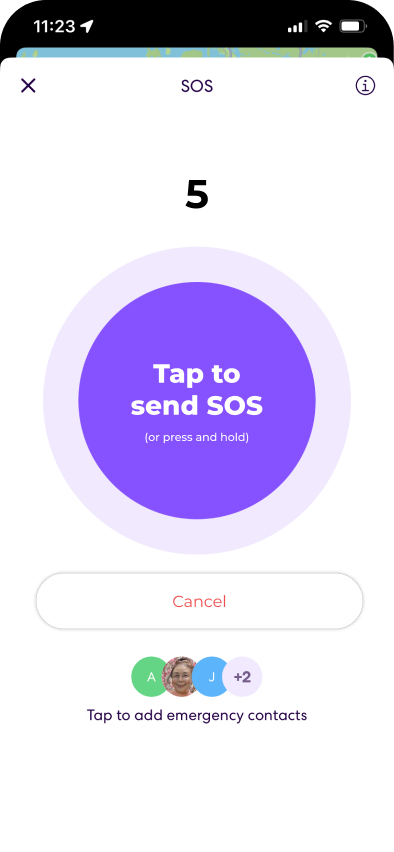
UPGRADED SILENT SOS FEATURE

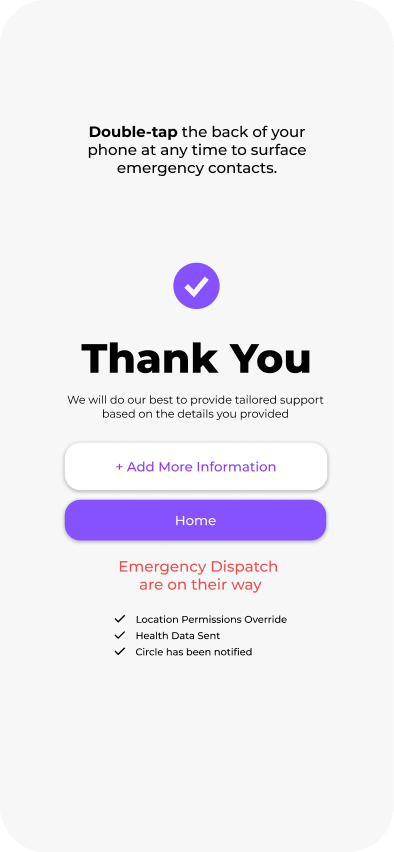
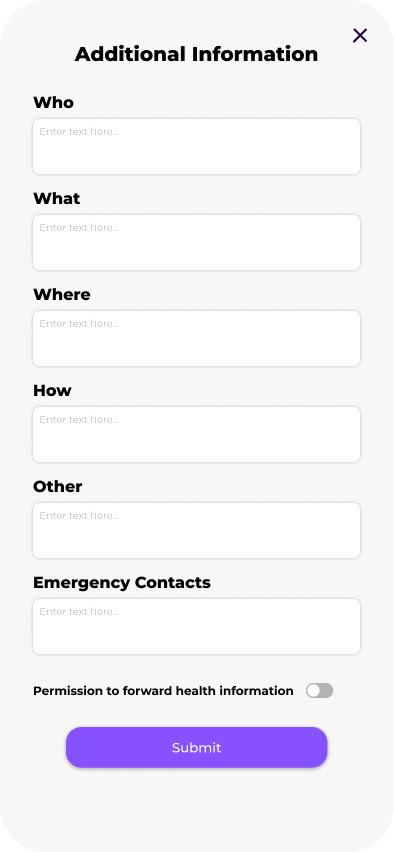
First responders value informedness but Life360 fails to provide adequate information in times where dispatch stems from an in-app call to action. In the Silent SOS feature, after a 10 second confirmation that this action was intnetional, to aid first responders in their work, I added a quick screen before confirming the transmission was sent, encouraging users to give some context about the situation at hand just by tapping one of the available options. I felt this was the best approach due to SOS situations typically being time-limited. However, if the user does have more time, there is an option on the completion screen where they can add more information.

iteration

PEER FEEDBACK

SILENT SOS FEATURE

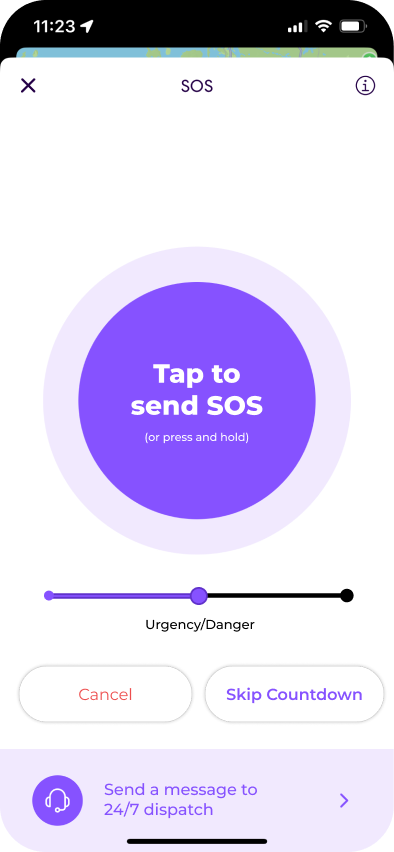
An upgraded SOS feature that helps first responders gage the urgency of an SOS situtation. Peers noted that the degree of urgency can vary, therefore an urgency slider in addition to quick prompts help with overall informedness. There was also many comments about whether 10 seconds was too long of a wait time before proceeding. This is where a 'skip' feature was implemented to let users move ahead in the submission faster.

NON SILENT SOS - MESSAGING

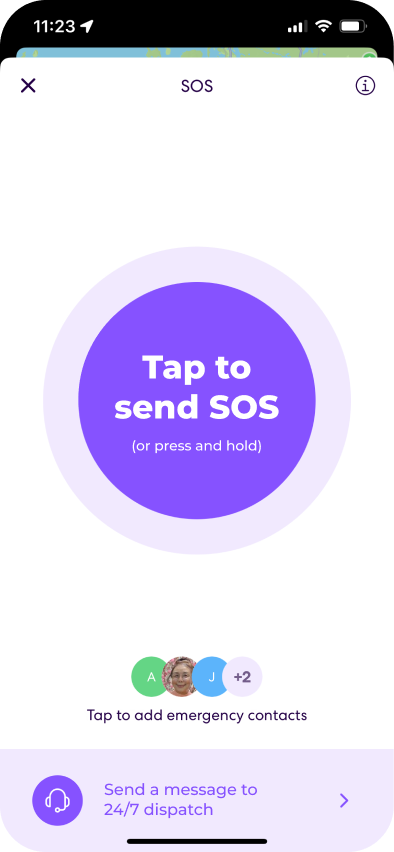
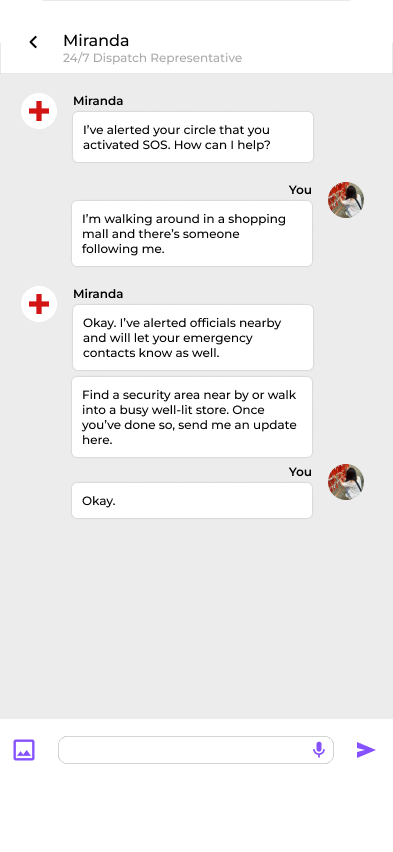
Feedback included having a way for the user get in contact with their dispatch representative directly, so I added on a message feature, accessible from the SOS page.

NON SILENT SOS - CALLING

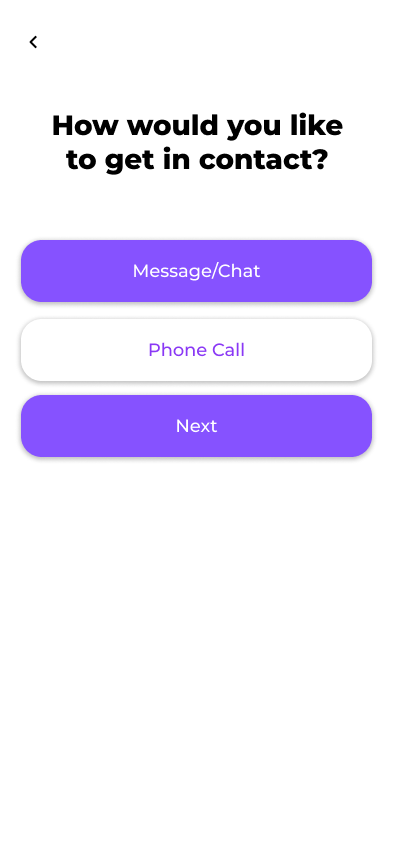
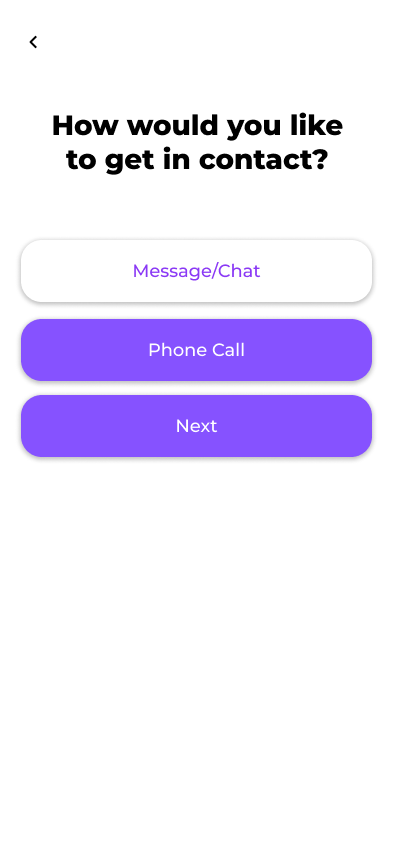
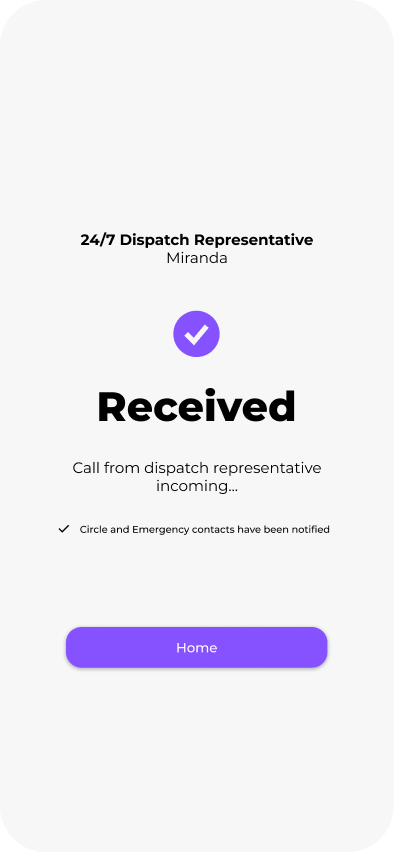
A call option in addition to the message function was an iteration inspired by peer feedback. It was raised that an SOS emergency is not always silent. Users nay opt to contact their Life360 24/7 dispatch representative or call 911 through reguar means.

TEENAGER FEEDBACK

TAG PERMISSIONS

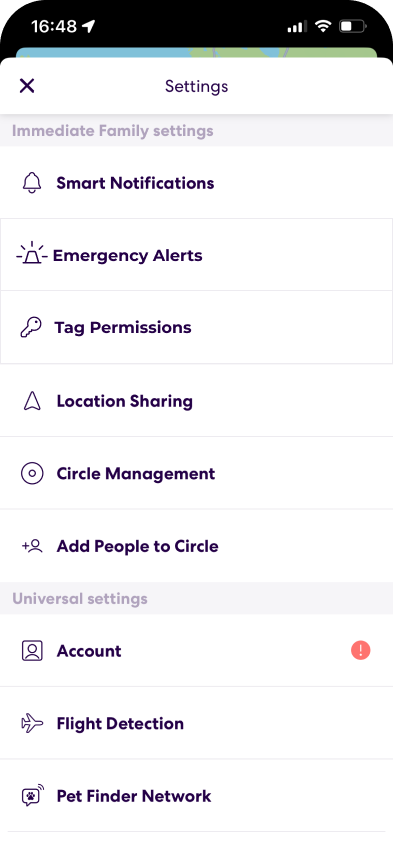
It was noted that the place the user edits the tag permissions were unclear and felt hidden, so I modified the flow so that users are also able to access the permissions page through settings.

FIRST RESPONDER FEEDBACK

MEDICAL INFO

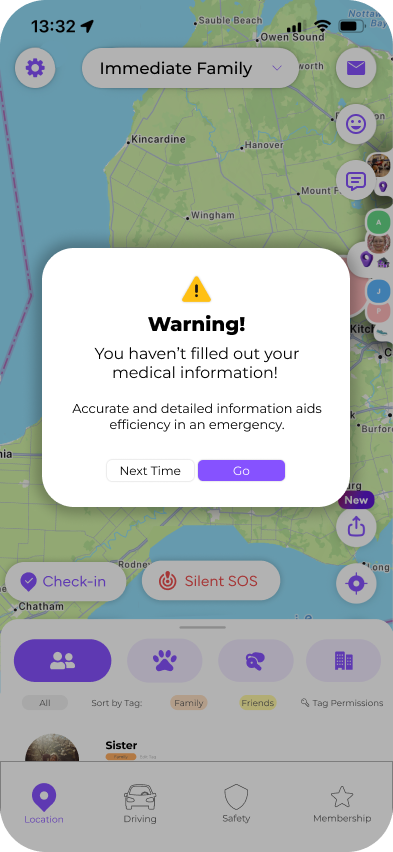
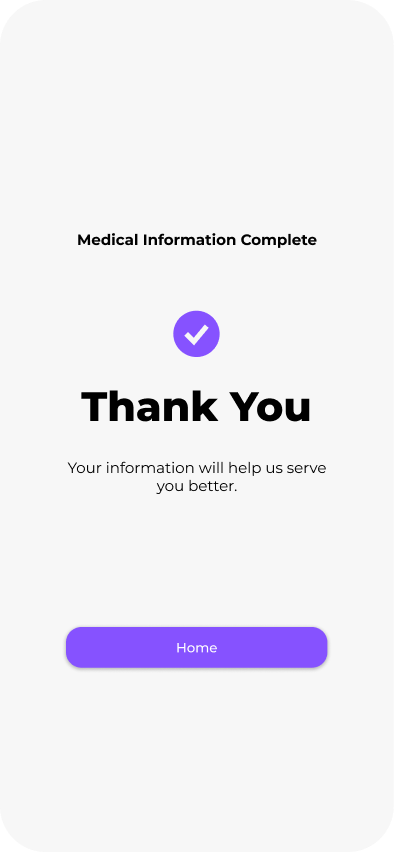
"I know about the situation but nothing about the person". This is what inspired the iteration of encouraging users to update their medical information, if they haven't done so yet, every time they open the app. This caters to first responder's need for informedness, helping them more-efficiently handle SOS situations.

FINAL PROTOTYPE (LINK)

conclusion

Life360 logo on phone screen

From a research standpoint, more time and ability to conduct interviews with local responders in the early stages would have benefitted the direction of the redesign. Through a failed attempt at posting an online survey, and inability to receive a response from local authorities, I was only able to infer values rather than hear real experiences of dispatch resulting from Life360. This made it challenging to design for first responders, especially as they do not directly interact with the app. If I had to do this project again, I would spend more time on primary research, to ensure I am truly designing for the benefit of the stakeholder.

As a personal user of Life360, I did not think it was possible to design a location tracking app in a way that can prioritize privacy and transparency, when it was fundamentally built to breach those two values. Designing with a user-centered approach helped me realize that those common frustrations that we experience not just with Life360 are very fixable and there are workararounds to value conflicts where both parties can be satisfied with what they prioritize. This was proved through feedback sessions with stakeholders, and it was evident how small changes can magnify the satisfaction of a user experience just by making small accomodations. Going forward, value sensitive design is something I forsee myself implementing into future design work to improve satisfaction and to better existing or upcoming projects.